A row counter that follows your crochet and knitting patterns
Bring in the patterns you already own, as PDFs, photos or scanned pages. Yarnstep splits them into rows, keeps only your size, and moves the counter each time you tap Next row.
iPhone, iPad and Android · 3 guided patterns included · See how it works

From a PDF to the row you are on
Three steps, then you only look at one row at a time. Your original pattern stays one tap away.
- 1
Import a pattern you own
A PDF from Files, printed pages you scan with the camera, or the ZIP from an Etsy order.
- 2
Pick your size
“36 (40, 44) sts” becomes 40 sts everywhere if you knit the middle size.
- 3
Follow it row by row
Each row shows its steps, the stitch count to end on, and the line it came from. Close the app and one tap brings you back to the same row.
What sits next to your yarn
The parts of a pattern you usually track on paper, kept on one screen.
Counters you never pay for
As many row, stitch and repeat counters as you like. Count from the Lock Screen and a Live Activity on iPhone, or from a home screen widget and your notifications on Android. Tap the widget and you are back on your row.
Abbreviations explained on tap
Tap sc2tog or ssk for a plain definition and a stitch diagram. Switch between US and UK terms.
Repeats laid out in order
“Rep rows 3 to 6 four times” turns into the sixteen rows you will actually work, and the counter keeps track.
Chart mode
A band sits on your chart row and moves up with the counter. An arrow shows which way to read it, and a magnifier zooms in.
Ask about this row
Stuck on a line? Ask what it means. Answers come only from your pattern and the stitch dictionary.
Enough yarn?
Yarnstep reads the yarn amounts for your size and checks them against what is in your stash.
Tools for the maths
Gauge and tension, hook and needle sizes in US, UK and mm, and how many skeins to buy.
A journal for each project
Progress photos, a note on any row, and a timer. When you finish, share a card with your photo, never the pattern.
Pattern details, filled in
Title, designer, yarn, hook or needles, gauge, sizes and materials, read from the pattern. Filter the library by type and level.
Inside the app
Real iPhone screens from the current beta, with the sample patterns that come with Yarnstep.
Start with a sample
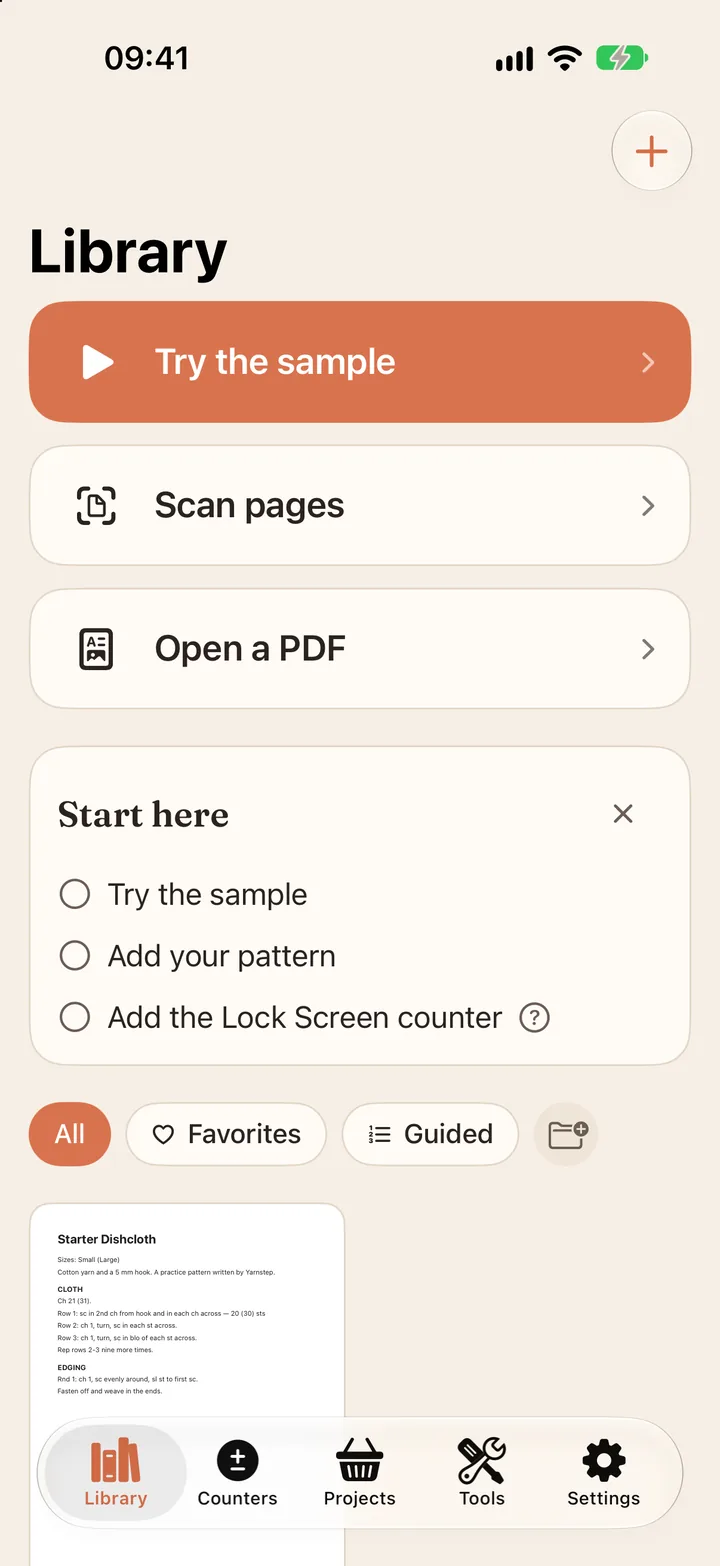
Try two rows of the practice pattern, then scan pages or open your own PDF.
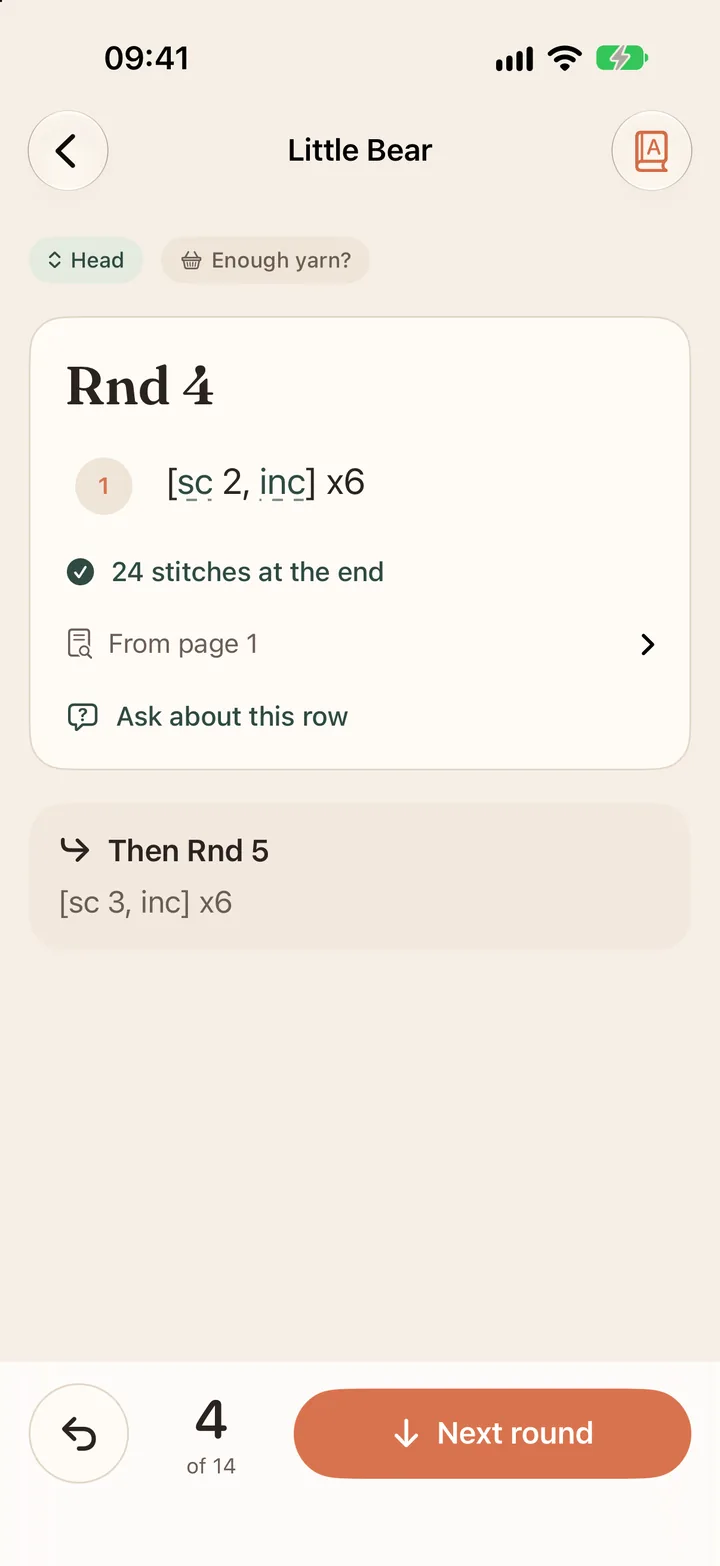
One row at a time
Your size only, the stitch count to end on, and the line it came from.
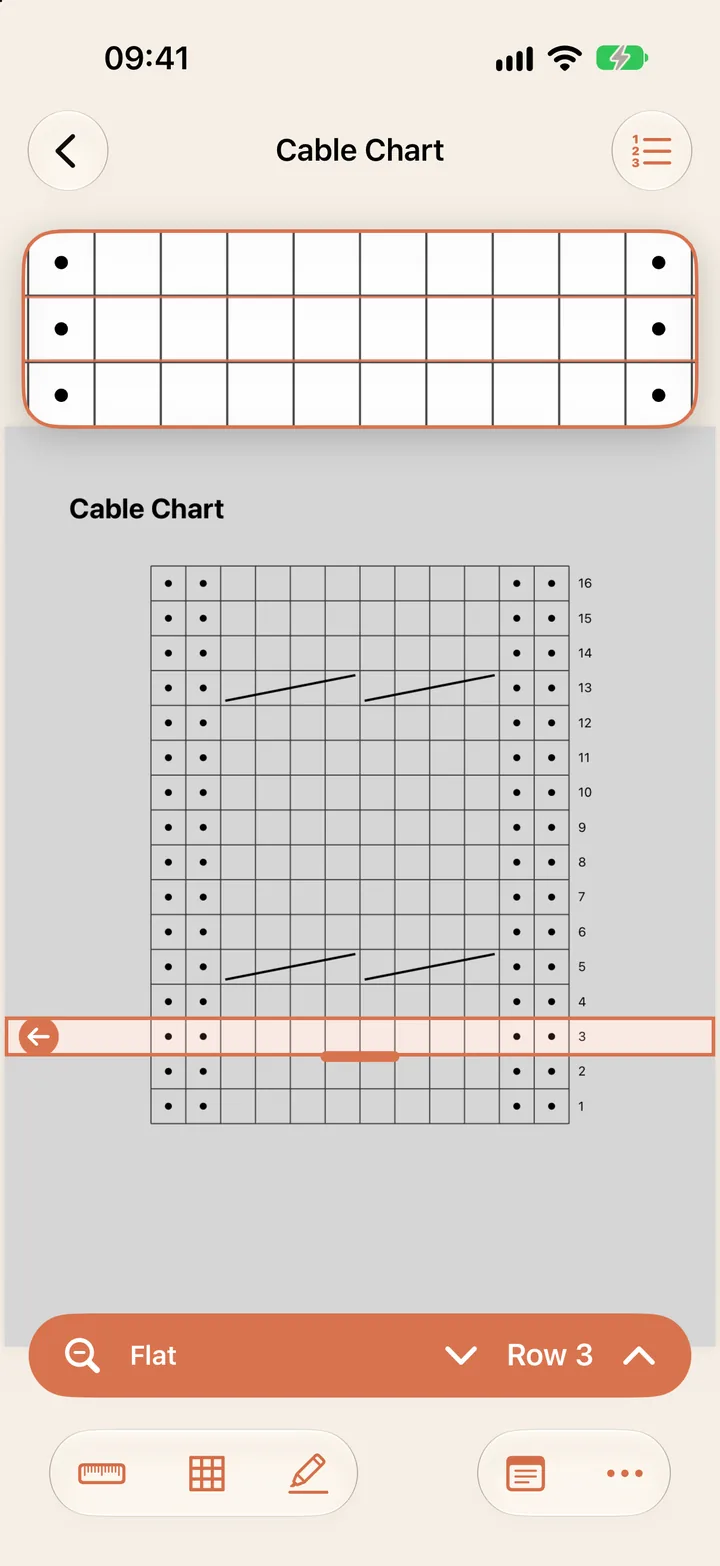
Chart mode
A band on your chart row that moves up with the counter.
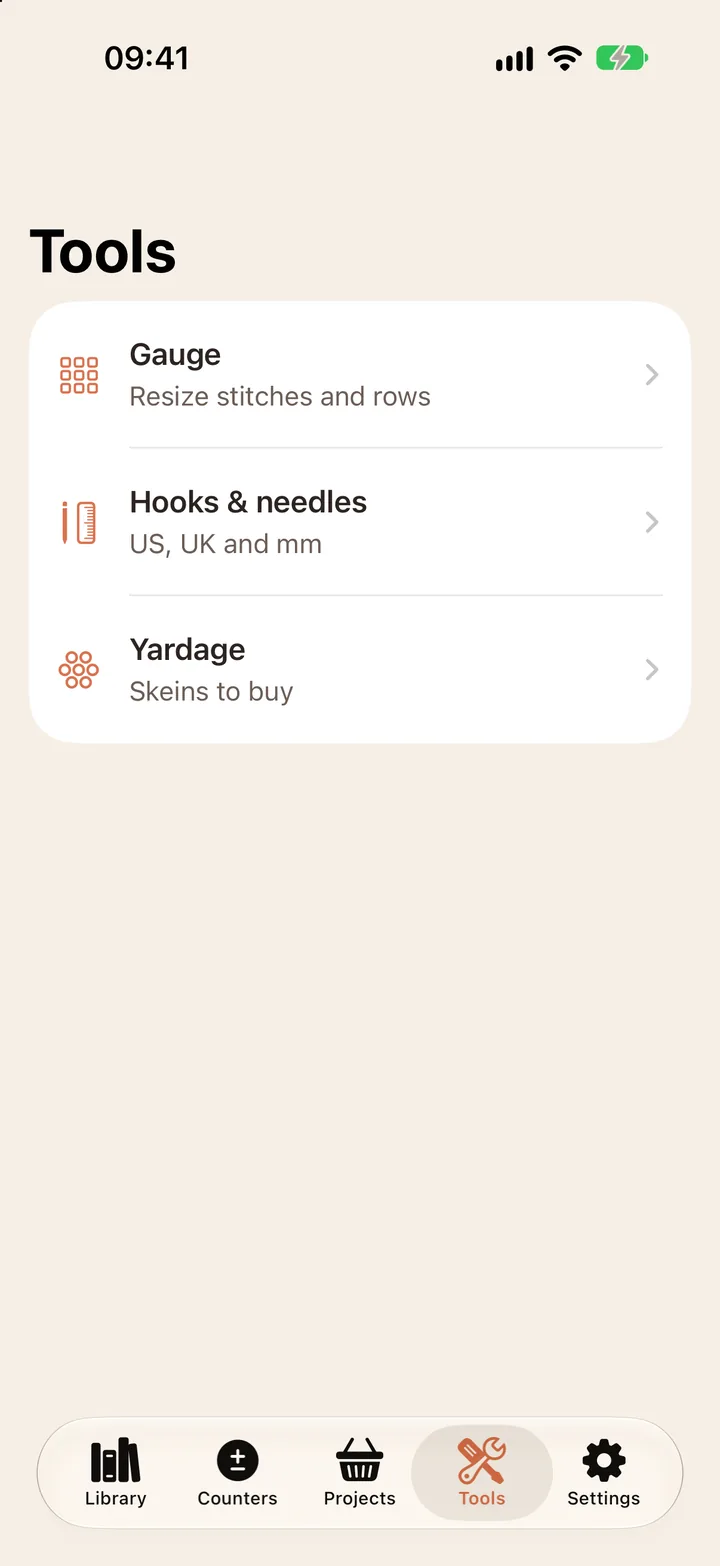
Tools
Gauge, hook and needle sizes in US, UK and mm, and yardage.
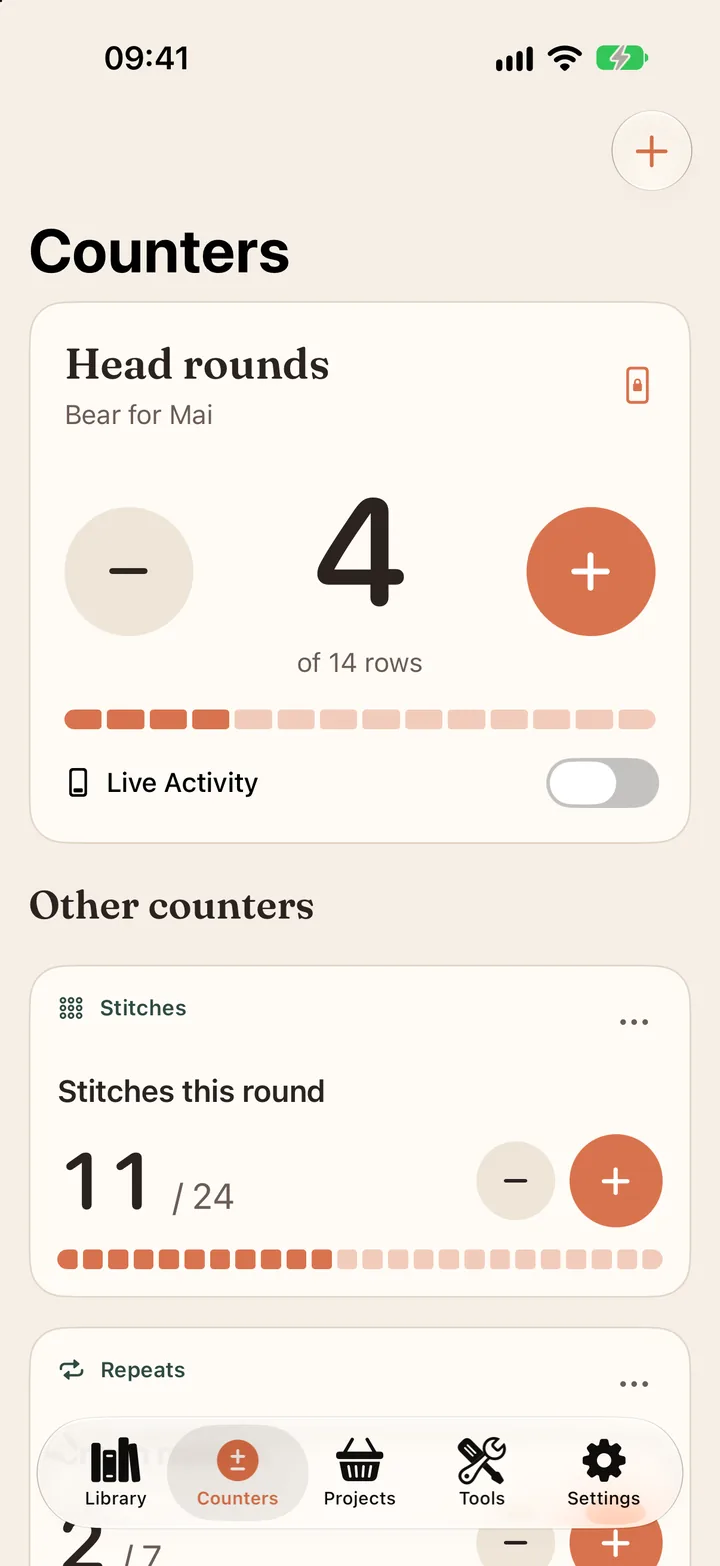
Counters
Row, stitch and repeat counters, also on the iPhone Lock Screen.


One app for iPhone, iPad and Android
Both read your patterns the same way, with the same free features and the same prices. A few parts differ, because the phones do.
iPhone and iPad
- A counter on the Lock Screen and in a Live Activity
- iCloud sync between iPhone and iPad with Pro
- The pattern page beside your rows on iPad
Android 11 and newer
- A home screen widget and a counter in your notifications
- The pattern page beside your rows on tablets
- No sync in version 1.0, so patterns stay on the device


Patterns stay with the person who bought them
Yarnstep has no sharing button for imported patterns, does not scrape designer sites, and never trains anything on your files. Each pattern keeps its designer's name and a link to buy it.
Read the designer promisePrices you can read in one line
Counters, the PDF viewer, the tools, your journal and stash, and 3 guided patterns cost nothing. Pro adds unlimited guided patterns, and on iPhone and iPad it keeps both in sync through iCloud.
$4.99 a month or $29.99 a year
7-day trial on the yearly plan. Same prices on both stores. Cancel anytime.
Compare the plansQuestions about Yarnstep
Which patterns can I bring into Yarnstep?
Patterns you own: PDFs (password-protected and scanned ones too), photos, pages you scan with the camera, or the ZIP an Etsy shop sends you. Import from Files, Photos or a share from Safari. If you add the same file twice, Yarnstep notices. Without a connection, the import waits and is read once you are back online. Yarnstep has no pattern store and never fetches patterns from designer sites.
What happens with size brackets like 36 (40, 44) sts?
You pick your size once. Yarnstep keeps only your numbers in every bracket, so each row shows the one stitch count you need.
Does it understand repeats?
Yes. Lines such as “rep rows 3 to 6 four times” become real rows in order, and the counter moves through them as you tap Next row.
Can I try it before adding my own pattern?
Yes. A short sample pattern comes with the app, and the first run walks you through two rows of it. The sample does not count toward your guided patterns.
What if a step is read wrong?
Every step shows the original line from your pattern page next to it. Steps Yarnstep is unsure about are flagged, and you can edit any step.
What do I get without paying?
Unlimited row and stitch counters, the PDF viewer with chart mode, the gauge, hook size and yardage tools, the project journal, the abbreviation dictionary, your yarn stash, and 3 guided pattern imports. A read that fails never uses one of the 3. Pro is $4.99 a month or $29.99 a year.
Is there an Android app?
Yes. Yarnstep for Android is coming to Google Play, for phones and tablets on Android 11 or newer. It has the same free features, the same 3 guided patterns and the same prices. Instead of the Lock Screen widget it has a home screen widget and a counter in your notifications, and on a tablet the pattern page sits beside your rows.
Does it work on iPad?
Yes. Yarnstep runs on iPhone and iPad. With Pro, your library, counters and place in each pattern sync between them through iCloud.
Can I sync between Android and iPhone?
Not in version 1.0. iCloud sync works between iPhone and iPad only. On Android, your patterns and counters stay on the phone or tablet you use, and Pro there means unlimited guided patterns.