Guided rows from patterns you already own
Yarnstep reads your pattern, splits it into rows and steps, and puts a counter under your thumb. Start with the sample pattern that comes with the app, then add your own. Everything below is in version 1 for iPhone, iPad and Android, unless it says otherwise.

Guided mode, the part that does the reading
3 patterns are included, and the sample pattern is extra. A read that fails does not use one. After that, guided mode is part of Pro.
- Rows, rounds and steps
- Sections, rows and the steps inside them come out in the order you work them.
- Only your size
- Choose S, M or L once. Every “(S/M/L)” group shows just your number from then on.
- Repeats unrolled
- “Rep rows 3 to 6 four times” becomes sixteen rows, and the counter walks through them.
- Stitch counts at the end of the row
- See “36 sts” before you turn, so you catch a missed stitch early.
- The source line, always
- Each step shows the snippet from your pattern page it came from.
- Flags and edits
- Steps Yarnstep is unsure about are marked. You can rewrite any step in your own words.
- Pattern details, filled in
- Title, designer, yarn, hook or needles, gauge, sizes and materials come from the pattern itself. You can change any of them.
- Enough yarn?
- Checks the amounts printed for your size against the yarn in your stash. When the pattern does not say, it tells you instead of guessing.
- Back to your row in one tap
- The library card and the counter widget open the row you stopped on, on iPhone and on Android.
The rest of the toolkit
Counters, always included
- Unlimited row, stitch and repeat counters
- iPhone: Lock Screen widget and a Live Activity
- Android: home screen widget and a counter in your notifications
- A separate counter for each project
PDF viewer
- Highlighter and notes on the page
- A row ruler you slide under any line
- Charts stay as images, never redrawn
Chart mode
- A row band that moves up the chart with your counter
- An arrow for right side and wrong side rows, flat or in the round
- A magnifier for the rows around the band
Abbreviations
- Tap sc2tog, ssk or yo for a definition and diagram
- US and UK crochet terms side by side
- A curated dictionary, written by people
Ask about this row
- Ask what a row means in plain words
- Answers come only from your pattern and the dictionary
- Says so when it is not sure
Library
- Scan printed pages with the camera, cropped for you, several pages at once
- PDFs, including password-protected and scanned ones, photos, and ZIP files from Etsy
- Spots a pattern you already imported
- Imports made offline are read when you are back online
- Filters for type and skill level, plus folders and tags
- Designer name and buy link on every pattern
Tools
- Gauge and tension: resize a stitch count, or cast on for a width
- Hook and needle sizes across US, UK and mm
- Yardage: how many skeins to buy, with a margin
Project journal
- Progress photos and notes, tied to a row if you like
- A timer you start and pause
- A finished-project card to share: your photo and stats, never the pattern
Projects and stash
- One project per thing you are making
- Yarn you own, with weight and colour
- iCloud sync between iPhone and iPad with Pro (Android 1.0 has no sync)
What it looks like on iPhone
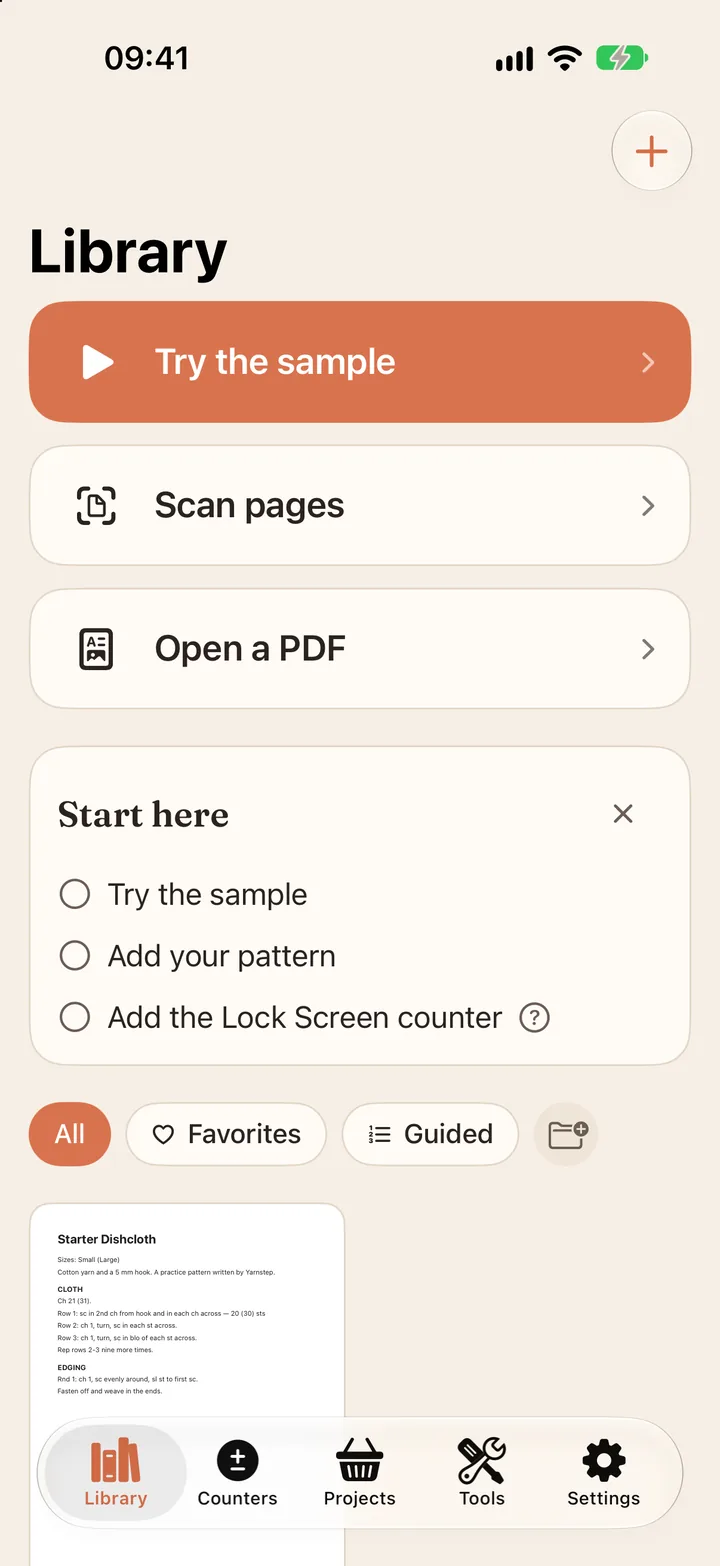
Start with a sample
Try two rows of the practice pattern, then scan pages or open your own PDF.
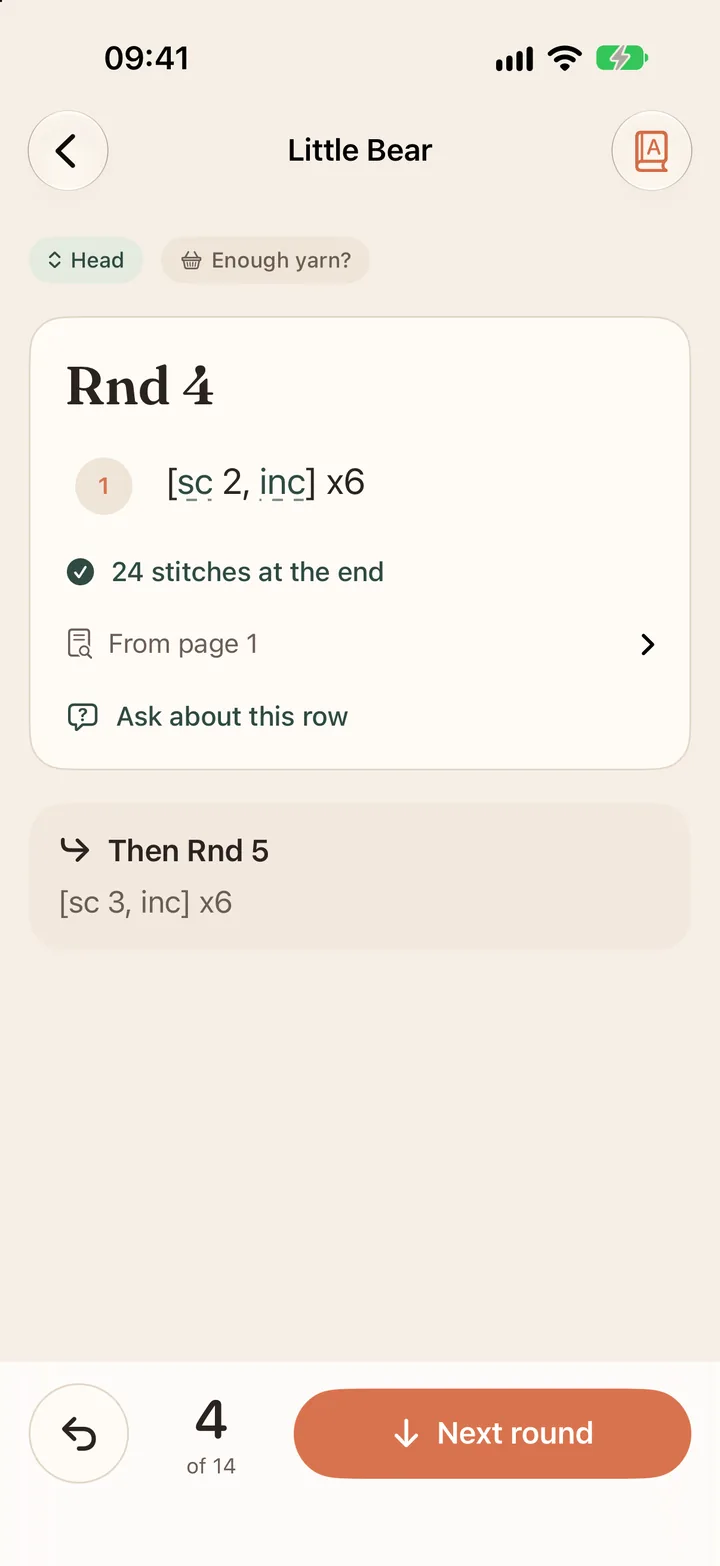
One row at a time
Your size only, the stitch count to end on, and the line it came from.
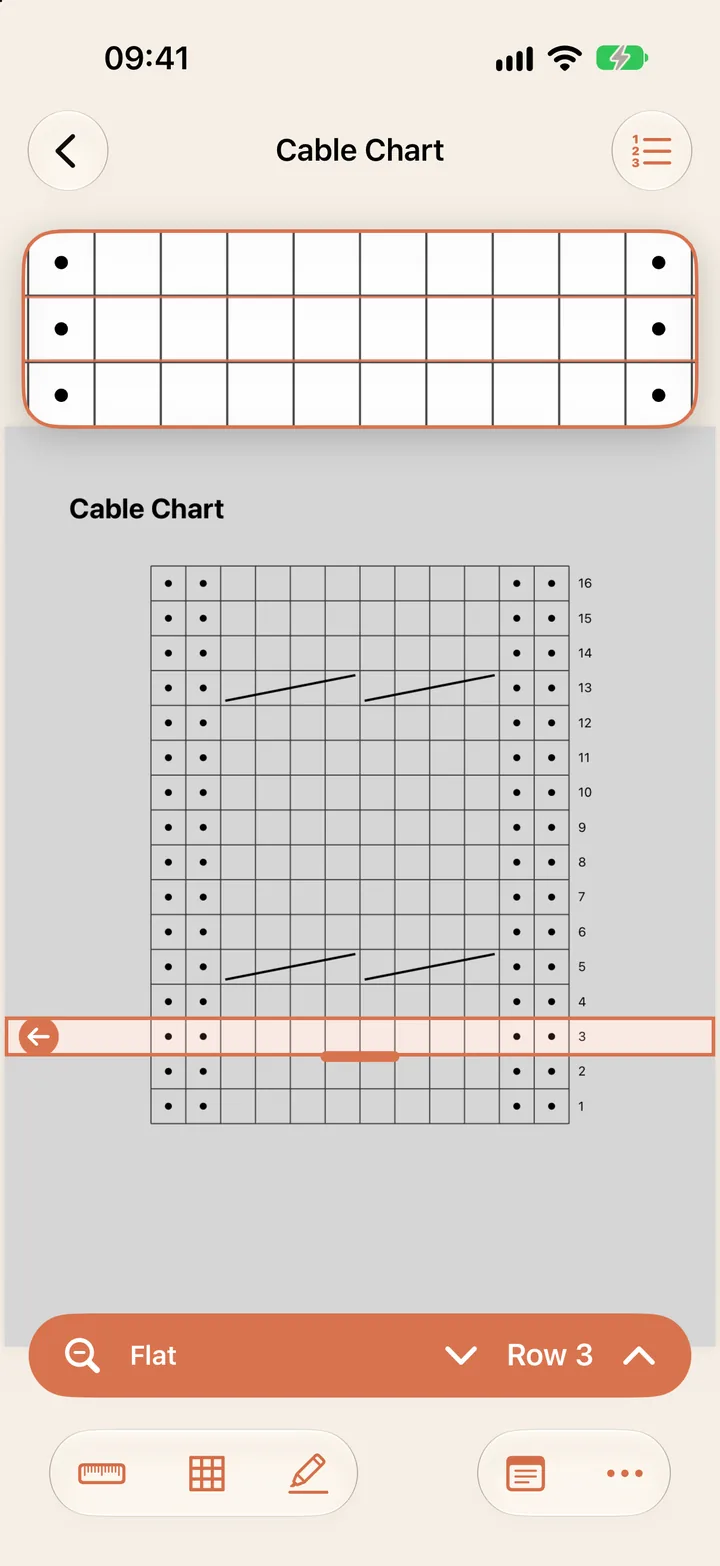
Chart mode
A band on your chart row that moves up with the counter.
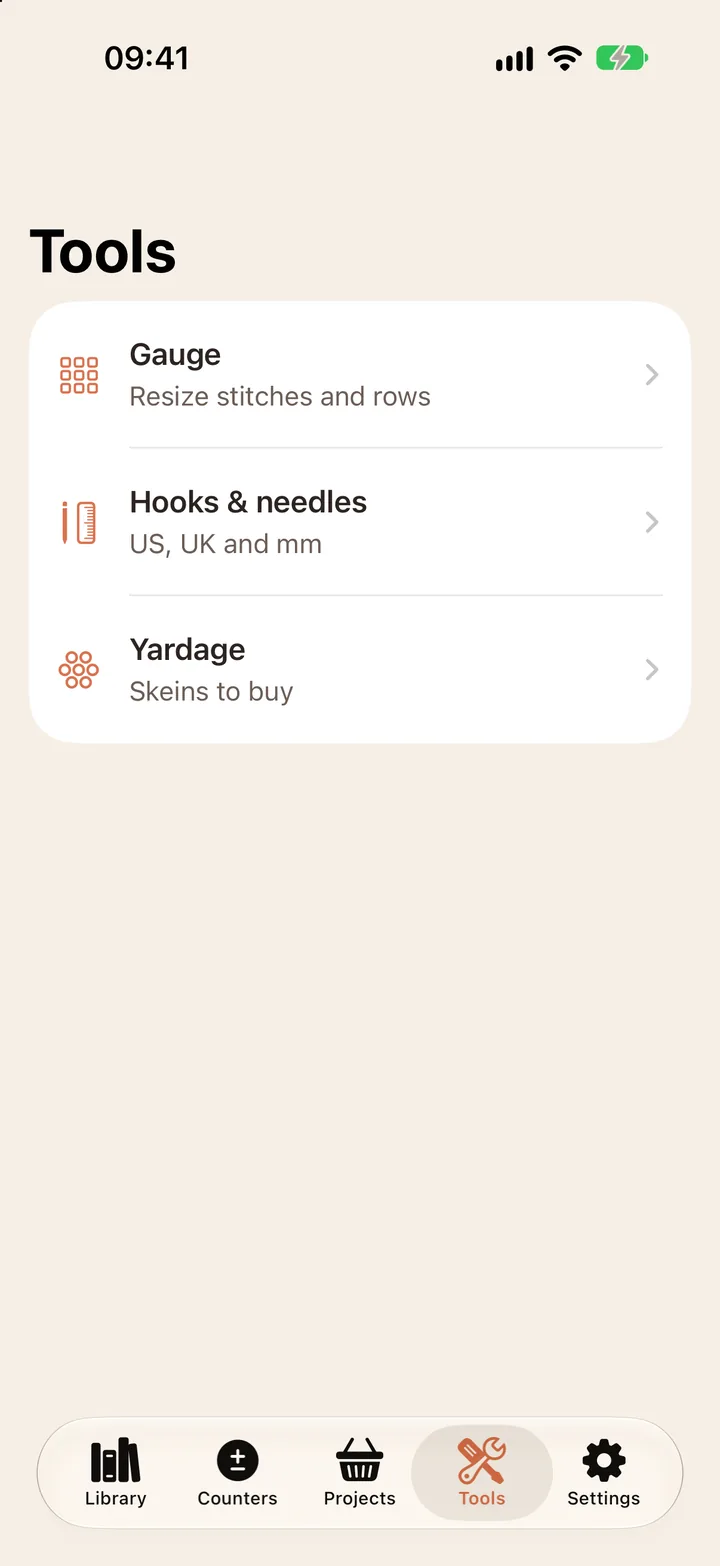
Tools
Gauge, hook and needle sizes in US, UK and mm, and yardage.
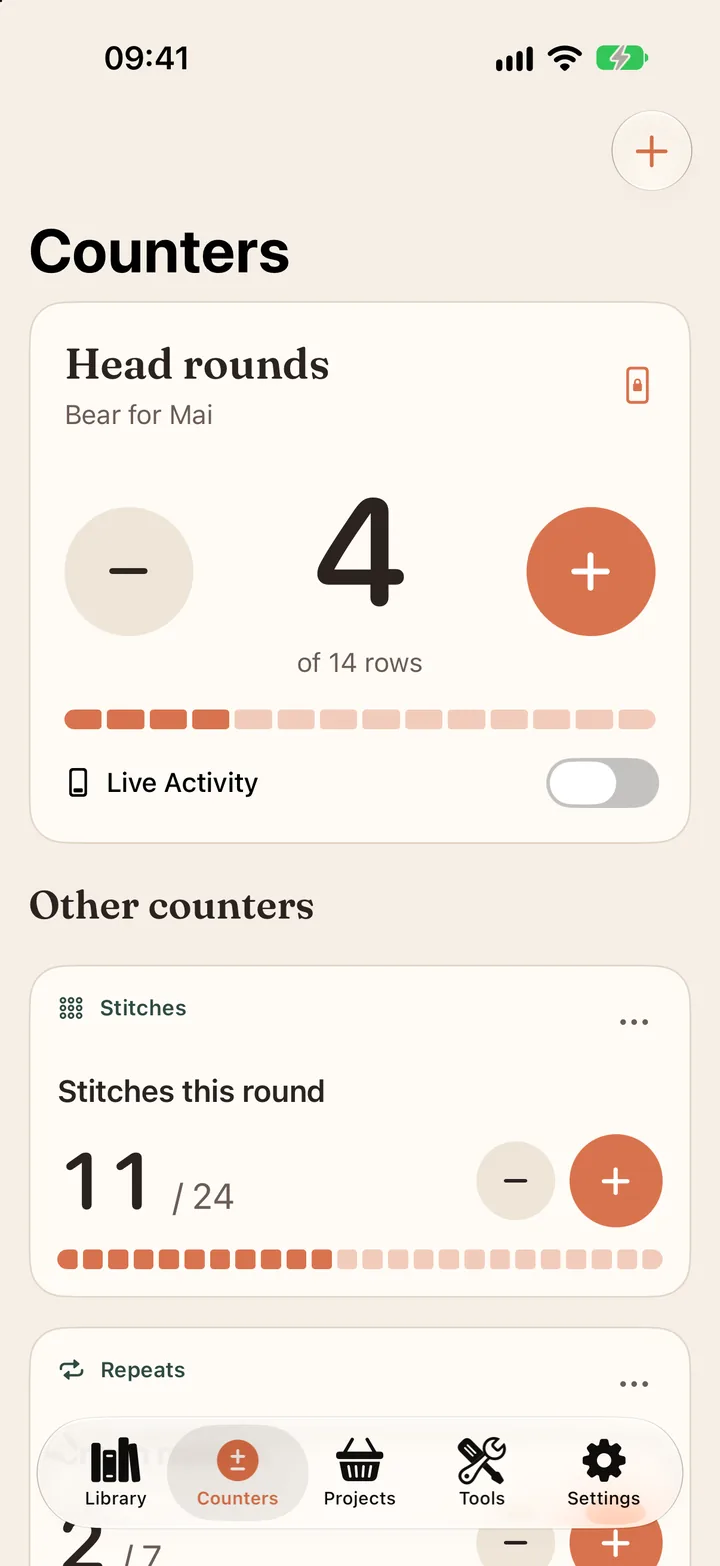
Counters
Row, stitch and repeat counters, also on the iPhone Lock Screen.


iPhone, iPad and Android side by side
Prices, free features and guided mode are the same on both. These are the parts that differ.
| Feature | iPhone and iPad | Android |
|---|---|---|
| Counting outside the app | iPhone and iPad: Lock Screen widget and a Live Activity | Android: Home screen widget and a counter in your notifications, with − and + |
| Sync with Pro | iPhone and iPad: iCloud, between your iPhone and iPad | Android: Not in version 1.0; patterns stay on the device |
| On a big screen | iPhone and iPad: iPad shows the pattern page beside your rows | Android: Tablets show the pattern page beside your rows |
| Needs | iPhone and iPad: iOS 26 or iPadOS 26 | Android: Android 11 or newer |
| Subscription | iPhone and iPad: Through the App Store | Android: Through Google Play |

What Yarnstep leaves out on purpose
- It does not write patterns. Every row comes from a pattern a designer wrote and you own.
- It has no pattern store and no social feed, and it cannot share your imported patterns.
- It never pulls patterns from designer sites or videos. Read the designer promise.